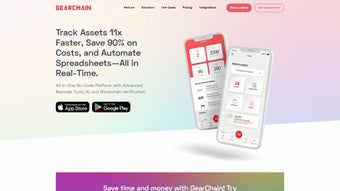

Download GearChain – AI‑Powered Inventory Management App for Android & iOS
What Is GearChain? An In‑Depth Overview
GearChain is a next‑generation mobile inventory management platform that merges artificial intelligence, blockchain‑based data integrity, and a no‑code visual builder into a single, easy‑to‑use application. Designed for small‑to‑medium enterprises, field technicians, and large corporations alike, GearChain delivers real‑time tracking, automated form generation, and tamper‑proof records of every barcode scan. Because the solution lives on Android and iOS devices, teams can capture inventory movements anywhere—on the warehouse floor, at a construction site, or during remote service calls—without needing a desktop workstation. Registration is streamlined through single sign‑on with Google or Microsoft accounts, eliminating the typical onboarding friction associated with traditional ERP add‑ons.
The platform’s standout capability is its integration of blockchain technology to automatically log each scan and data change onto an immutable ledger. This ensures that every transaction is traceable, auditable, and resistant to manipulation—a critical requirement for regulated industries such as pharmaceuticals, aerospace, and food safety. Meanwhile, the AI engine learns from historic usage patterns, suggesting optimal form fields, auto‑completing repetitive entries, and flagging anomalies before they become costly errors. In practice, GearChain turns inventory management from a manual, error‑prone chore into a data‑driven, highly efficient workflow.
GearChain also respects the reality of heterogeneous IT landscapes. It offers out‑of‑the‑box connectors for Google Sheets and Microsoft Excel, allowing users to export or sync data without custom development. For organizations that rely on legacy ERP systems, a robust RESTful API delivers bi‑directional data flow, ensuring GearChain can sit comfortably alongside existing investments. In short, GearChain is a secure, scalable, and highly customizable inventory tool that brings modern AI and blockchain capabilities to the fingertips of any mobile workforce.
Key Features, Pros & Cons That Set GearChain Apart
- AI‑Generated Forms: The intelligent form builder analyses past entries and suggests field layouts, auto‑populating common values to speed up data capture.
- Blockchain‑Backed Traceability: Every barcode scan and inventory transaction is recorded on a tamper‑proof ledger, providing end‑to‑end auditability.
- High‑Precision Barcode Scanning: Integrated camera‑based scanner works offline and syncs instantly when connectivity returns.
- No‑Code Custom Builder: Drag‑and‑drop interface lets users create custom inventory projects without writing a single line of code.
- Role‑Based Access Control (RBAC): Granular permission settings let administrators restrict data view/edit rights per user or team.
- Seamless Google Sheets & Excel Integration: Real‑time sync options keep spreadsheets up to date without manual export.
- RESTful API for Legacy Systems: Connect GearChain to any ERP, WMS, or custom backend with straightforward API calls.
- Cross‑Platform Mobile Support: Native Android and iOS apps ensure a consistent experience on smartphones and tablets.
- Secure Single Sign‑On (SSO): Register instantly with Google or Microsoft accounts, reducing password fatigue.
- Offline Mode with Automatic Sync: Capture inventory data in remote locations; the app queues changes and pushes them to the cloud once online.
Pros
- AI‑driven form generation reduces data entry time by up to 40 %.
- Blockchain ledger guarantees immutable, auditable transaction history.
- No‑code builder enables rapid customization without developer resources.
- Robust barcode scanning works offline and syncs automatically.
- Native Android and iOS apps provide a consistent mobile experience.
- Seamless integration with Google Sheets, Excel, and RESTful API for legacy systems.
- Role‑based access control enhances security and compliance.
- Single sign‑on simplifies user management and reduces password fatigue.
Cons
- Initial learning curve for non‑technical users unfamiliar with AI‑generated forms.
- Blockchain feature may be overkill for very small businesses with simple inventory needs.
- Advanced API integration requires some development effort.
- No built‑in desktop client; all core actions happen on mobile devices.
Installation, Daily Usage, and Compatibility Details
Step‑by‑Step Installation
Getting started with GearChain is intentionally simple. Visit the Google Play Store or Apple App Store, search for “GearChain,” and tap “Install.” The download size is under 100 MB, making it suitable for devices with limited storage. After installation, launch the app and select “Sign in with Google” or “Sign in with Microsoft.” The SSO flow redirects you to the provider’s authentication page, after which you’re taken back to GearChain’s onboarding wizard.
The wizard walks you through creating your first inventory project: you choose a project name, define asset categories, and optionally import a CSV of existing items. The no‑code builder then lets you drag fields (e.g., serial number, location, condition) onto a form canvas. Once saved, the AI engine immediately starts learning from any data you input, offering smart suggestions for future entries. This onboarding experience typically takes less than ten minutes, even for users with minimal technical background.
Everyday Workflow
Daily usage revolves around the barcode scanner. From the home screen, tap the “Scan” button, point your device’s camera at a barcode, and watch the app automatically pull up the matching record. If the item is new, the AI‑generated form appears, pre‑filled with any known data and ready for you to add specifics such as “Checked‑out by” or “Current status.” All changes are stored locally if you’re offline, then securely transmitted to the cloud once you regain connectivity. The blockchain layer adds each scan as an immutable transaction, visible in the “History” tab for compliance audits.
For teams that rely on spreadsheets, the “Export” menu offers one‑click syncing to Google Sheets or Microsoft Excel. You can schedule automatic updates every hour, ensuring that managers always see the latest stock levels without manual downloads. The API documentation, accessible from the “Settings → Integrations” screen, provides sample cURL commands and SDK snippets for Java, Python, and Node.js, making it straightforward to push or pull data from legacy ERPs.
Supported Platforms
GearChain is built natively for Android 12+ and iOS 14+. The app runs smoothly on smartphones and tablets ranging from 5‑inch phones to 12‑inch iPads, thanks to responsive UI design. Minimum hardware requirements include a rear‑facing camera capable of autofocus (essential for barcode scanning) and at least 2 GB of RAM. The cloud backend supports Windows, macOS, and Linux browsers, allowing administrators to manage users, view analytics, and configure integrations from any desktop environment.
Because the app relies on secure HTTPS communication and end‑to‑end encryption, it works equally well on corporate Wi‑Fi, cellular data, or VPN‑protected networks. GearChain also complies with GDPR, HIPAA, and ISO 27001 standards, ensuring that data residency and privacy requirements are met for global deployments.
FAQ and Final Thoughts – Why GearChain Is Worth the Download
Frequently Asked Questions
Is GearChain free to use?
GearChain offers a free tier that includes unlimited barcode scans, AI‑generated forms, and basic blockchain logging. Paid plans unlock advanced API limits, premium support, and enterprise‑grade compliance features.
Can I migrate existing inventory data into GearChain?
Yes. During onboarding you can import CSV or Excel files. The no‑code builder will map columns to form fields automatically, and the AI engine will suggest any additional fields that may improve data quality.
How does the blockchain component work?
Each barcode scan creates a transaction that is hashed and added to a private, permissioned blockchain hosted on GearChain’s cloud infrastructure. The ledger is immutable, meaning records cannot be altered or deleted, providing a tamper‑proof audit trail.
What security measures protect my data?
GearChain uses TLS 1.3 for all data in transit, AES‑256 encryption at rest, and role‑based access control to limit user permissions. Regular security audits and compliance certifications (GDPR, HIPAA, ISO 27001) ensure enterprise‑grade protection.
Can GearChain integrate with my existing ERP system?
Absolutely. GearChain provides a RESTful API with full CRUD capabilities. You can push inventory updates from your ERP into GearChain and pull real‑time stock levels back into your legacy system, keeping both platforms synchronized.
Conclusion – Take the Next Step with GearChain
In an era where data integrity, real‑time visibility, and user‑friendly interfaces are non‑negotiable, GearChain delivers a compelling blend of AI automation, blockchain security, and mobile convenience. Its no‑code builder empowers teams to adapt the app to any industry—from healthcare equipment tracking to construction asset management—without waiting on IT resources. The free tier lowers the entry barrier, allowing businesses to test the platform before committing to a paid plan.
If you’re looking for a secure, scalable, and future‑proof inventory solution that works on the devices your workforce already carries, GearChain stands out as a top contender. Its seamless integration options mean you won’t have to abandon existing spreadsheets or ERP investments; instead, you’ll enhance them with intelligent, immutable data capture.
Recommendation: Download GearChain today and experience a new level of inventory accuracy and transparency. Start with the free plan, customize your workflow in minutes, and watch your operational efficiency soar.
Click here to download GearChain for Android or iOS and start your free trial now!






